Acorn Atom Microcomputer Emulator
The Acorn Atom from 1980, running in your web browser. Nothing to install.
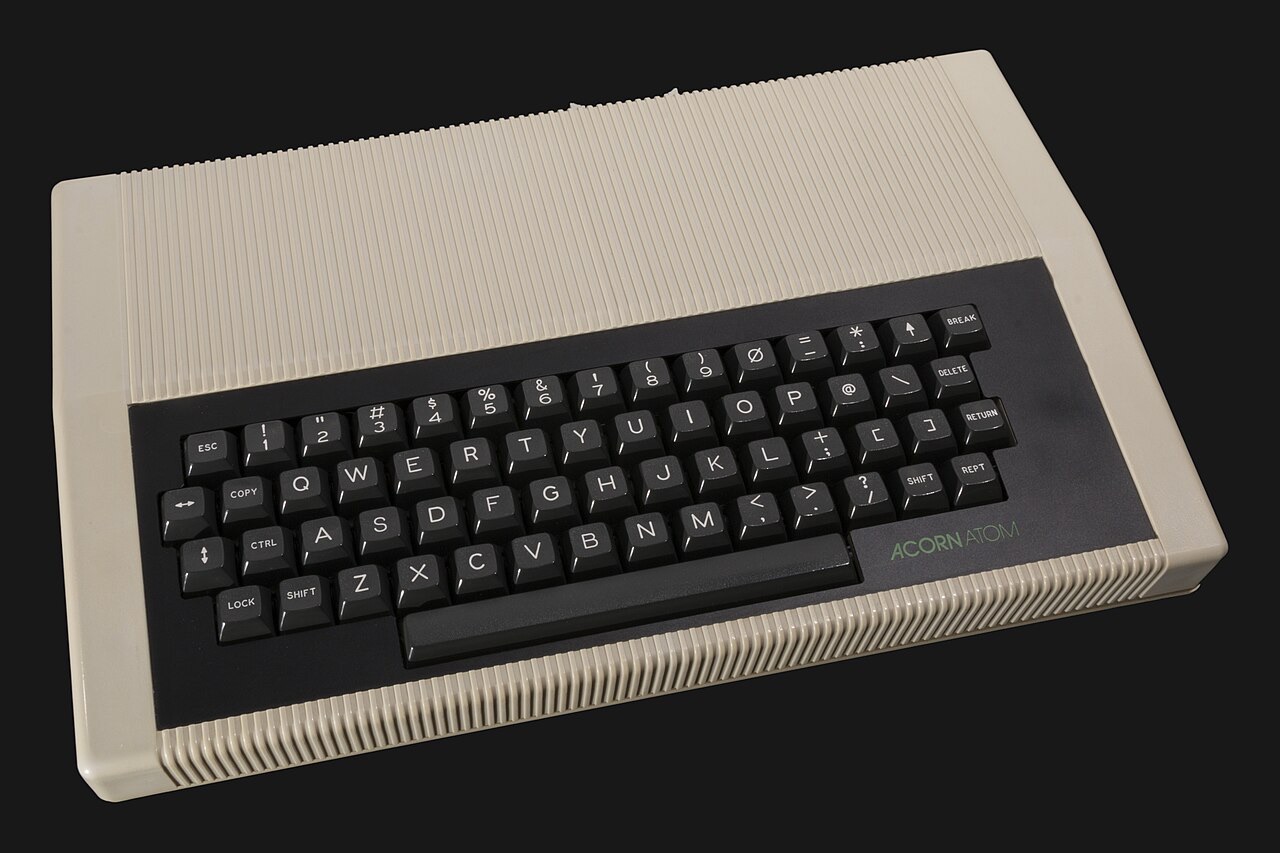
What it is
The Acorn Atom was Acorn's first complete home computer, launched in 1980, the year before the BBC Micro. It had a 6502 processor, a full-size keyboard, and BASIC in ROM with a built-in assembler. Many British programmers wrote their first lines of code on it.
My emulator is a variant of Matt Godbolt's excellent jsbeeb, a JavaScript BBC Micro emulator. jsbeeb already emulated the 6502 accurately. I added the Atom's own hardware on top using documentation and reverse engineering: its memory map, keyboard, video modes and storage. That way the Atom gets the same accurate CPU core as the BBC Micro emulation. This was completed in the summer of 2020 and didn't use an AI coding agent.
Acorn machines you can run
The same codebase runs three of Acorn's 8-bit computers. Choose one:
| Machine | Released | Launch link |
|---|---|---|
| Acorn Atom | 1980 | atom.commandercoder.com |
| BBC Micro Model B | 1981 | jsacorn.commandercoder.com?model=B |
| BBC Master 128 | 1986 | jsacorn.commandercoder.com?model=Master |
Not sure which to choose? My guide Acorn computers in your browser explains how the three differ and helps you write your first program.
Interactive fiction archive
Text adventures suit the Atom well. They need a keyboard and an imagination, not colour graphics. The interactive fiction link starts the emulator with an archive of adventure games mounted as a virtual MMC card, and boots it automatically, so you can pick a game straight away.
N, S, E, W, LOOK, TAKE LAMP and INVENTORY. If a game doesn't understand you, try a simpler two-word phrase.
Why I built it
I want old microcomputers to stay usable, not just sit in museums. An emulator in a web page is the easiest possible way in. A teacher, a curious student or someone who owned an Atom in 1981 can all try one in seconds, on any device, with nothing to install.
Reporting problems
If something doesn't behave like a real Atom, please leave a comment below with what you typed and what you expected. Better still, open an issue on GitHub. Bug reports from people who remember the real hardware are especially valuable.